Every small business that collects personal information online needs a privacy policy. It does not matter whether you are a solo freelancer with a contact form or a ten-person team running an online store. A privacy policy is legally required for businesses collecting personal data, and the obligation applies long before you hit enterprise scale.
Even if all you use is an email list, a booking tool, analytics cookies, or other tracking technologies, you are collecting data that privacy laws expect you to disclose. That means you need a clear, public policy that tells visitors what you collect, why, and what you do with it.
This guide takes a practical, staged approach rather than burying you in dense legal theory. You will find a minimum viable privacy policy for each growth stage, from solo operator to small team, along with a small business privacy policy template structure and sample clauses you can adapt to your own operations.
You will also learn where to publish your policy, how often to update it, and which advanced clauses you can safely skip for now.
You do not need to become an expert in every data privacy law on the planet. You just need a concise, honest policy aligned with how you truly collect, use, and protect customer data.
Table of Contents
- Why a Privacy Policy Matters Even for the Smallest Business
- Are Small Businesses Legally Required to Have a Privacy Policy?
- How This Guide Organizes Privacy Requirements by Business Stage
- Stage 1: Solo Freelancer or One-Person Micro-Business
- Stage 2: Local Service Business With Walk-In or Regional Clients
- Stage 3: Small Online Seller or Digital Product Business
- Stage 4: Small Team With Employees and Contractors
- Common Elements Every Small Business Privacy Policy Should Cover
- Explaining What Personal Information You Collect
- How You Collect Information: Forms, Cookies, and Other Tracking Technologies
- Why You Collect and Process Personal Data
- How You Protect and Store Personal Information
- Being Transparent About Data Sharing and Third Parties
- User Rights and Choices in a Small Business Context
- International Data Transfers for Small Businesses
- What a Small Business Can Safely Skip (At Least for Now)
- Sample Small Business Privacy Policy Structure (With Copy-Ready Clauses)
- Where to Publish Your Privacy Policy and Link to It
- How Often to Review and Update a Small Business Privacy Policy
- Affordable Ways for Small Businesses to Create a Privacy Policy
- Avoiding Common Small Business Privacy Policy Mistakes
- Quick Stage-by-Stage Comparison: What Your Policy Must Contain
- Key Takeaways
- FAQ
- Is it OK to start with a generic template and customize it later?
- What happens if my small business has a minor data breach?
- Do I need a separate employee privacy policy for my small team?
- At what size does the CCPA start to apply to a small business?
- How long should a small business privacy policy be?
Why a Privacy Policy Matters Even for the Smallest Business

Any business that collects information through online services, whether it is names, emails, IP addresses, or cookies, has both legal and trust obligations. This is true no matter how small or early-stage the operation is.
“Personal information” covers obvious pieces like contact details and account info, as well as less obvious data like device identifiers, IP addresses, and usage analytics. For a full breakdown of definitions and how laws classify personal data globally, see the data privacy policy guide.
A privacy policy is not only about legal compliance. It also serves as a trust signal. Privacy policies help build trust with customers by showing transparency about what happens with their data.
A privacy policy informs customers about data collection practices in plain terms, which can prevent disputes and confusion down the road. Customers are often in the dark: 67% of U.S. adults say they understand little to nothing about what companies do with their personal data (Pew Research Center, 2023).
A clear policy is one of the simplest ways to close that gap, and it takes only a few honest paragraphs to write and keep up to date as your business changes.
Here is a concrete example. Consider a solo web designer with a portfolio site, a contact form, and Google Analytics installed. That operation collects names, emails, message content, IP addresses, and browsing behavior.
Without a privacy policy, the designer has no documented explanation of how that data is used, stored, or shared, which creates both legal exposure and a poor impression on potential clients who check.
Are Small Businesses Legally Required to Have a Privacy Policy?
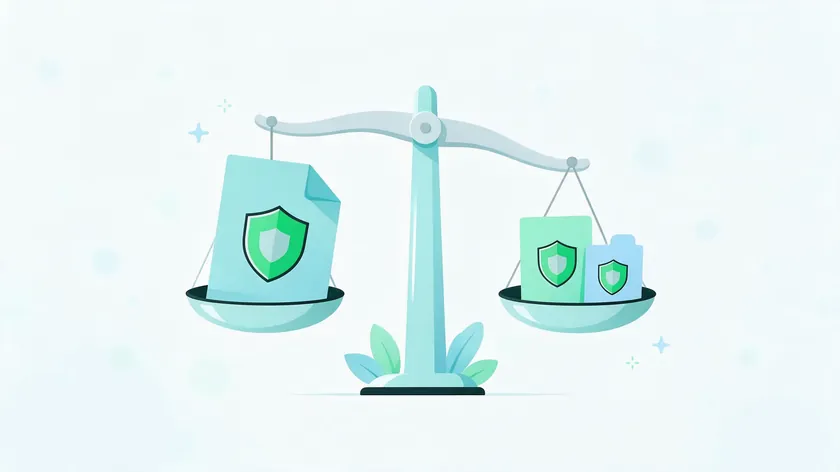
Size alone does not exempt a business from privacy laws. If you collect personal data, you are usually required to publish a privacy policy or notice. Businesses must identify applicable privacy laws based on customer locations, not just where the business is headquartered.
Here is a quick overview of the major regulations:
- CalOPPA (California Online Privacy Protection Act): Any operator of a commercial website or online service that collects personally identifiable information from California residents must post a conspicuous privacy policy, as the California Attorney General’s CalOPPA notice to app developers explains. There is no revenue or size exemption.
- General Data Protection Regulation (GDPR): The GDPR applies to any entity offering goods or services to individuals in the EU, or monitoring their behavior, regardless of company size. For the most serious infringements, fines can reach €20 million or 4% of total worldwide annual turnover, whichever is higher (GDPR Article 83).
- California Consumer Privacy Act (CCPA/CPRA): The CCPA has specific thresholds. As of January 1, 2025, these are: annual gross revenue of $26.625 million or more, processing the personal information of 100,000 or more California consumers or households, or deriving 50% or more of annual revenue from selling or sharing personal information. Administrative fines can reach $2,663 per violation, or $7,988 for intentional violations and those involving consumers under 16 (2025 amounts, according to the CPPA).
Many small businesses fall below the CCPA thresholds, but CalOPPA and GDPR do not provide similar size-based exemptions. If you have a small business website that collects data from visitors anywhere, you most likely need a privacy policy.
For a deep dive into specific jurisdictional requirements, see the full data privacy policy guide.
How This Guide Organizes Privacy Requirements by Business Stage

Instead of organizing by law or industry, this article groups privacy policy needs by four practical stages of business growth:
- Stage 1—Solo freelancer or micro-business: Minimal tools, simple data collection, one person handling everything.
- Stage 2—Local service business: Walk-in or regional clients, mix of offline and online data, booking and CRM systems added.
- Stage 3—Small online seller or digital product business: Checkout flows, payment processors, advertising pixels, potential international data transfers.
- Stage 4—Small team with employees: Employee data, HR tools, more complex vendor relationships, higher data protection expectations.
Each stage has a minimum viable privacy policy checklist. As the operation becomes more complex, you add more specific elements. You can skim directly to the stage closest to your current setup, but plan ahead for the next stage’s requirements, since growth often happens faster than policy updates.
Stage 1: Solo Freelancer or One-Person Micro-Business

This stage covers individuals operating alone: consultants, designers, coaches, content creators, and similar micro-businesses. You may collect leads via contact forms, accept email sign-ups, use a simple payment link, and run basic analytics on your site.
Typical data collection points at this stage include:
- Contact forms (name, email, message)
- Booking or scheduling tools
- Newsletter sign-up forms
- Basic cookies from analytics platforms
- Other tracking technologies like embedded social media widgets or pixels
Legal compliance still applies here. However, the privacy policy can be short, focused on the core issues: what data is collected, how it is used, how long it is kept, and who it is shared with.
If you use an email marketing provider, that counts as data sharing with a third-party service provider, and it belongs in your policy.
This stage usually does not need technical language about complex data processing arrangements. What matters is honest, clear statements that match the actual tools you use.
Minimum Viable Privacy Policy for a Solo Freelancer
Think of this as the smallest set of clauses you need to be reasonably covered and transparent. Here is a practical checklist:
- List specific types of personal information collected: Name, email address, message content from your contact form, IP address and browser type from analytics. Do not list categories you do not actually collect; for example, do not mention health data unless you genuinely handle it.
- State clear purposes of use: Explain that you collect information to respond to inquiries, send newsletters the visitor opted into, process payments if applicable, and understand which pages are visited.
- Name your third-party service providers: If you use an email platform, a scheduling tool, or a payment link, mention these categories. You do not need to name every vendor by name, but you can. Example: “I use a third-party email service to send our newsletter. Your email address will be shared with that provider to deliver messages.”
- Describe basic data protection measures: State that you store personal information in secure, password-protected services and that access is limited to you. Avoid promising security you do not deliver.
- State that you do not sell personal information: Most solo freelancers can truthfully include a simple line: “I do not sell your personal information.”
- Include a retention note: Something like “Contact form entries are kept for up to 12 months unless I need them longer for an ongoing project.”
- Provide contact information: Give visitors a way to reach you with questions about their data, typically an email address.
Keep the language friendly and non-legalistic. This policy can fit on a single page of a simple website.
Stage 2: Local Service Business With Walk-In or Regional Clients

This stage covers small brick-and-mortar or regional businesses like salons, small clinics, repair shops, tutoring centers, and local agencies. You use a website, online booking, and possibly in-store Wi-Fi sign-ups or loyalty programs.
These businesses often combine offline data collection (paper intake forms, phone bookings, sign-in sheets) with online services (contact forms, appointment software, review platforms). Both types need to be reflected in a single, coherent privacy policy.
Legal compliance at this stage may include state-level privacy laws, marketing rules such as SMS consent requirements, and sector-specific data protection expectations. A dental office collecting health data, for instance, has additional obligations beyond what a hair salon faces.
But the privacy policy itself should cover both the online services and any digital storage of in-store data, written so that local customers can understand it easily.
Privacy Policy Essentials for Local Service Businesses
Your privacy policy at this stage should cover:
- Data collection sources: Describe how you collect data from website forms, phone or in-person bookings recorded in a CRM, CCTV cameras if applicable, and customer Wi-Fi logs if you offer in-store internet.
- Third-party tool sharing: Address data sharing with appointment platforms, CRM systems, review sites, and marketing newsletter providers. Make it clear that these third-party service providers process information on your behalf.
- Marketing consent: If you send SMS or email marketing, explain how customers opt in and how they can opt out. This is especially important for text message campaigns, where consent rules are strict.
- Concrete retention periods: Instead of vague language like “as long as necessary,” state approximate time frames. For example: “We keep marketing contact information for up to 3 years after your last appointment unless you ask us to remove it sooner.”
- Sensitive data: If your business collects sensitive personal information (health-related intake notes, for example), call it out and explain why you need it, how it is stored, and who can access it. If you do not collect sensitive data, do not list it.
Local customers will appreciate straightforward language, so write each section the way you would explain it to a client at your front desk.
Stage 3: Small Online Seller or Digital Product Business

This stage applies to solo or very small teams selling physical products, digital downloads, courses, templates, or subscriptions. You likely use a hosted platform, one or more payment processors, and analytics or advertising tools.
While there is a dedicated online store privacy policy article covering full ecommerce complexity (checkout flows, guest accounts, abandoned carts, loyalty programs), this section focuses on a leaner version for very small sellers who still handle personal information at checkout but do not yet need an enterprise-grade template.
Typical data collected at this stage includes names, shipping and billing addresses, email addresses, basic purchase history, and device data from analytics. Data protection expectations increase when payments and account creation are involved, because customers are sharing financial and identity information, not just a name and a message.
The privacy policy here must more explicitly address data sharing with payment processors and marketing tools, as well as international data transfers if your platform stores data in a different country from where your customers live.
Privacy Policy Requirements for Small Online Sellers
Your policy should explain in plain language:
- What data is collected at checkout and through account creation: Cover guest purchases and registered accounts separately if your platform supports both. Leave advanced ecommerce-specific templates to the dedicated online store privacy policy resource.
- Data processing by payment processors and platform hosts: State that these providers receive and process payment and transaction data securely on your behalf. You do not need to reproduce their full policies, but mentioning the category is important.
- Tracking technologies for remarketing: If you use pixels for targeted advertising or remarketing ads, explain this in simple terms. Let customers know they can adjust browser or mobile device settings to limit tracking.
- Cross-border hosting: If your platform or payment processor stores data on servers in a different country (e.g., in the US or EU), mention this. For detailed EU transfer wording and safeguards, see the GDPR compliant privacy policy guide.
- Sellers without inventory: If you do not hold your own inventory and rely on third-party fulfillment, the privacy policy for dropshipping guide covers supplier data sharing and cross-border fulfillment chains in detail.
Keep this version lean: describe what you actually collect, name the categories of providers that receive it, and point to the dedicated guides for the details. That is enough for a small seller to stay accurate without burying customers in legal detail.
Stage 4: Small Team With Employees and Contractors

Once your business grows to include employees, regular contractors, or job applicants, you enter a new category. You are now processing employee data (addresses, Social Security numbers, payroll records, benefits information, performance reviews) in addition to customer information.
At this point, internal HR data processing must be reflected in a privacy notice, even if that is a separate document from the public-facing policy. The public-facing privacy policy should briefly acknowledge that the company processes staff personal information and may direct team members to a separate internal notice for the details.
As teams expand, data sharing with HR software, collaboration tools, accounting platforms, and external advisors (lawyers, accountants) becomes more complex. Each new tool or vendor that touches personal data is another item that should be reflected in your policy.
Extra Clauses Growing Teams Should Add to Their Privacy Policy
Beyond the core elements from earlier stages, businesses with employees and contractors should consider adding:
- Categories of data processors: List types of vendors such as HR platforms, accounting and payroll tools, cloud services for file storage, and customer support platforms. You do not need to name every vendor, but be specific about categories.
- International data transfers: If you use US-based SaaS platforms to manage customer or employee data, and some of your team or customers are based outside the US, state that data may be transferred internationally and that you use reputable providers with strong data protection standards.
- Internal data protection practices: Outline access controls, staff training on data handling, and incident response processes at a high level. Do not reveal security details that could create vulnerabilities.
- Legal review: This is a good stage to have a lawyer review the privacy policy, especially if you operate across multiple states or countries, or if you handle higher-risk data like health data or financial records.
- Software businesses: If your team builds and sells software, the SaaS privacy policy guide covers controller and processor roles, sub-processors, and data processing agreements.
Revisit this list each time you add a tool or hire your first employee, since each change usually adds a vendor or data type the policy must reflect.
Common Elements Every Small Business Privacy Policy Should Cover
Regardless of stage, most privacy policies share a core set of topics. Privacy policies should be written in plain language to ensure understanding, so avoid legalese wherever possible.
Your policy must state what information you collect, how it is collected, why it is collected, who it is shared with, how it is protected, how long it is kept, and how users can exercise their choices.
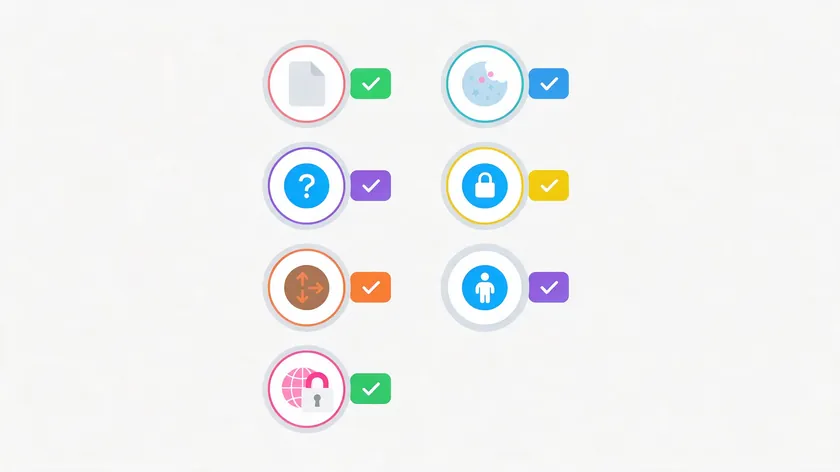
Here are the seven universal elements:
- What personal information you collect
- How you collect it (forms, cookies, other tracking technologies)
- Why you collect and process personal data
- How you protect and store personal information
- Who you share data with and why
- User rights and choices
- International data transfers (if applicable)
These are always required at some level, even in a minimum viable policy. Omitting any of them can cause both legal trouble and erode customer trust. Keep these core sections consistent over time, and update the details whenever your tools, vendors, or privacy practices change.
Explaining What Personal Information You Collect
A privacy policy must state what information you collect. Start this section with a short, plain-language explanation, then use a clear bullet or table format to list data categories.
For a typical small business, include:
- Contact information: Name, email address, phone number, physical address (if collected)
- Account details: Username, password (if you offer account creation)
- Payment-related data: Handled by processors, not typically stored by you directly
- Device and usage data: IP address, browser type, pages visited, mobile device identifiers
- Communications: Messages from contact forms, support requests, chat transcripts
If your business processes any sensitive categories, such as limited health-related notes for a wellness coaching practice, call those out explicitly. Do not list categories you do not truly collect. Listing sensitive data you do not handle creates confusion and potential legal issues.
If your business does not target children, include a short note stating that you do not intentionally collect data from minors and that if you discover such data, you will delete it. For businesses that do interact with children, you may need to obtain parental consent before collecting their information.
How You Collect Information: Forms, Cookies, and Other Tracking Technologies
Your policy should include how you collect information, like forms or cookies. Map out the concrete methods:
- Web forms (contact, sign-up, checkout)
- Newsletter and email sign-ups
- Booking and scheduling tools
- Support tickets and live chat
- Cookies and similar tracking files
- Pixels and embedded tools from third-party services
- In-person or phone interactions recorded digitally
Describe cookies and other tracking technologies in simple terms. For example: “We use an analytics tool to understand which pages are popular and how visitors navigate our site. This tool places small files (cookies) on your browser that record information like your IP address and the pages you view.”
Businesses with customers in the EU or UK should reference cookie consent banners and consider linking to a separate cookie policy, but leave the detailed legal breakdowns to more specialized resources.
The key rule: your description must align with your actual data practices. If you use Google Analytics, say so. If you run advertising pixels for targeted advertising, mention it. Do not use generic, copy-paste lists that describe tools you have never installed.
Why You Collect and Process Personal Data
Every item of data you collect should have a clear business purpose that you can explain in ordinary language. Your policy should explain why you collect personal data.
Typical reasons for a small business include:
- Providing and improving services
- Communicating with customers (responding to inquiries, sending updates)
- Processing orders and payments
- Sending marketing communications with consent
- Preventing fraud and securing the website
- Meeting legally required record-keeping obligations (tax records, invoices)
- Improving the website based on usage analytics
Under the GDPR and similar privacy laws, businesses must identify a legal basis for processing personal data. For a full explanation of lawful bases, see the GDPR compliant privacy policy article.
Frame this section as an honest justification your customers can accept. It should directly answer “Why do you need this information from me?” in a few concrete bullet points, not vague corporate language.
How You Protect and Store Personal Information
Your policy should detail how you store and protect data. This section should provide a concise overview of data protection measures without resorting to marketing hype. Avoid phrases like “military-grade encryption” unless you can genuinely back them up.
Instead, focus on realistic controls:
- Technical measures: Encrypted connections via HTTPS, reputable hosting providers, password-protected accounts, and multi-factor authentication where available.
- Organizational measures: Limited staff access to personal data, basic training on data handling practices for anyone who interacts with customer information.
- Retention practices: Outline approximate time frames. For example, “We keep contact form messages for up to 12 months unless the conversation relates to an ongoing project or legally required documentation.”
Include an honest caveat: no method of transmission or storage is 100% secure, but you take reasonable steps to protect personal information against unauthorized access, loss, or misuse. This kind of candor builds more customer trust than overclaiming.
Being Transparent About Data Sharing and Third Parties
Start this section by stating clearly whether your business sells personal information. Most small businesses can simply say: “We do not sell your personal information.”
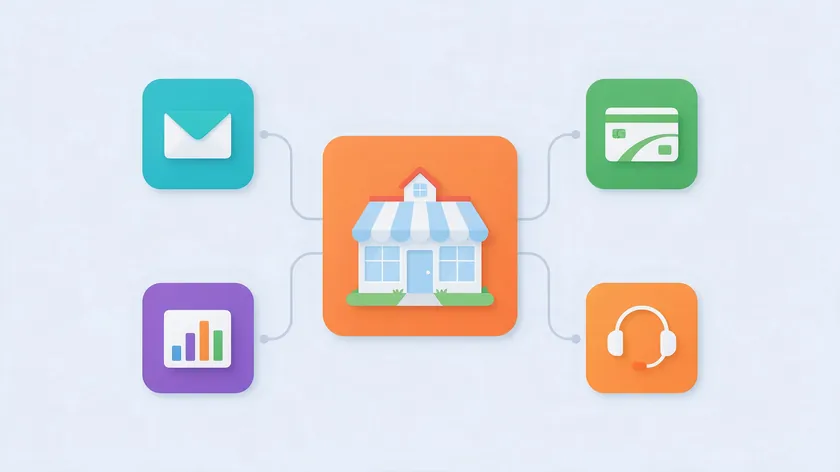
Then list the categories of third parties you share data with:
- Email service providers (newsletter delivery)
- Payment processors (transaction handling)
- Analytics platforms (website traffic measurement)
- Customer support tools (ticket management)
- Third-party advertisers or marketing partners (if applicable)
- Hosting and cloud services providers
- Business partners or professional advisors (lawyers, accountants)
You do not need to name each vendor unless you want to, but the categories must be accurate. Privacy policies must disclose third-party data sharing practices.
Under the CCPA, businesses must disclose data sharing practices, including any “sharing” for targeted advertising, and provide a way for California residents to opt out. For detailed wording, see the California privacy policy template article.
Your data sharing section must align with your actual tools so that data processing arrangements are accurately reflected, especially when third-party providers are located in other countries or process data for purposes beyond what your customers expect.
User Rights and Choices in a Small Business Context

Users have rights regarding their personal data under laws like GDPR and CCPA. Your policy should outline user rights regarding their personal data. In simple language, summarize the key rights customers commonly expect:
- Access: Users can request access to the personal data you hold about them.
- Correction: Users can ask you to fix inaccurate information.
- Deletion: Users can request that you delete their personal data, subject to legal requirements to retain certain records.
- Opt-out of marketing: Users can unsubscribe from email or SMS communications at any time.
- Opt-out of sale or sharing: California residents can request information on shared personal data and opt out of any sale or sharing for advertising purposes.
Explain how users can exercise these rights in practice. This could be as simple as emailing a specific address, clicking an unsubscribe link, or adjusting cookie settings in their browser or mobile device.
Rights may vary depending on where the user lives. EU residents have broad rights under the GDPR, and UK residents have similar rights under the UK GDPR. California residents have rights under the California Consumer Privacy Act.
Other states and countries have their own privacy regulations. Avoid reproducing full legal rights lists already covered in sibling articles; keep this section focused on what a customer needs to do and what they can expect.
Set realistic time frames for responding to requests. The GDPR generally requires a response within one month, and the CCPA allows 45 days, extendable once by another 45 days (CPPA). State that your business will not discriminate against users who exercise their privacy rights.
International Data Transfers for Small Businesses
Many small businesses use cloud services that store or process data in other countries. This creates international data transfers even if the business itself is entirely local.
Describe this in accessible language. For example: “Your personal information may be stored on servers in the United States or the European Union as part of the third-party services we use to operate our business.”
For EU or UK users, extra safeguards such as standard contractual clauses may apply. If your business participates in any recognized framework, such as the EU-U.S. Data Privacy Framework, mention it. For a detailed breakdown of EU transfer requirements, the GDPR compliant privacy policy article covers this thoroughly.
Reassure readers that you choose reputable providers that implement strong data protection standards wherever data is processed. This is an area where transparency, not legal complexity, is what most customers need.
What a Small Business Can Safely Skip (At Least for Now)
Not every clause that appears in a Fortune 500 company’s privacy policy belongs in yours. Small, low-risk businesses can simplify or postpone certain complex topics, as long as they are not required by their specific situation.
Examples of advanced clauses you can typically skip or simplify at the start:
- Detailed vendor-by-vendor inventories listing every sub-processor by name, address, and contract type
- Complex international transfer frameworks with full references to standard contractual clauses and adequacy decisions
- Exhaustive legal citations for every jurisdiction you might theoretically touch
- Data Protection Officer appointments (GDPR only requires these in specific circumstances, and many small businesses do not meet the criteria)
- Binding corporate rules or other enterprise-level governance documents
- Separate privacy policies for every product line if all products collect similar data
Skipping does not mean ignoring legal obligations. It means avoiding unnecessary legalese and focusing on accurate, honest disclosures that match your current scale and risk profile.
Revisit these topics as you grow, especially when expanding internationally, handling sensitive data like health data or financial information, or entering regulated sectors. What you can skip today may become a legal requirement tomorrow, so build a habit of checking your policy against your actual practices at least once a year.
Sample Small Business Privacy Policy Structure (With Copy-Ready Clauses)
Below is a simple outline that doubles as a small business privacy policy template. Each section includes one or two copy-ready example sentences you can adapt to your own business operations.
If you are unsure whether to title the page “Privacy Policy” or “Privacy Notice,” see the privacy policy vs privacy notice article for guidance.
1. Introduction
“This Privacy Policy explains how [Your Business Name] collects, uses, and protects the personal information you provide when you visit our website, use our services, or communicate with us.”
2. Information We Collect
“We collect your name and email address when you contact us or join our newsletter so we can respond to your inquiry and send you updates you request. We also collect device information such as your IP address and browser type through analytics tools.”
3. How We Collect Information
“We collect information directly from you when you fill out a form, make a purchase, or contact us. We also collect data automatically through cookies and similar tracking technologies when you browse our site.”
4. How We Use Your Information
“We use your personal information to provide and improve our services, respond to your questions, process transactions, send marketing you have opted into, and understand how visitors use our website.”
5. Data Protection and Security
“We store personal information using secure, password-protected services. Access is limited to individuals who need it for legitimate business operations. While no system is perfectly secure, we take reasonable security measures to protect your data.”
6. Data Sharing
“We do not sell your personal information. We share data only with trusted third-party service providers that help us operate our business, such as our email platform, payment processor, and analytics service. These providers are required to protect your data and use it only for the services they perform on our behalf.”
7. International Data Transfers
“Your information may be stored on servers located outside your country, including in the United States, as part of the services we use. We choose providers that maintain strong data protection standards.”
8. Your Rights and Choices
“You can request access to, correction of, or deletion of your personal information at any time by emailing us at [your email]. You can unsubscribe from our marketing emails using the link at the bottom of any message. We will never discriminate against you for exercising your rights.”
9. Data Retention
“We keep your personal information only as long as necessary to fulfill the purposes described in this policy or as required by law. For example, transaction records are kept for up to 7 years for tax and accounting purposes.”
10. Contact Information
“If you have questions about this policy or your personal information, please contact us at [your email] or write to us at [your business location or physical address].”
11. Updates to This Policy
“We may update this policy from time to time. The ‘Last Updated’ date at the top of this page reflects the most recent changes. For significant changes, we will notify users by email or through a prominent notice on our website.”
Tailor the phrasing to your brand’s tone and avoid copying another business’s policy verbatim. The goal is a document that is both friendly and clear, written in accessible language, not dense legal documents that no one reads.
Where to Publish Your Privacy Policy and Link to It

Privacy policies should be easy to find on business websites. Many privacy laws and third-party platform terms expect a link to the privacy policy to be easily accessible on the website.
Here are the specific places to link your policy:
- Website footer: Every page of your site should include a “Privacy Policy” link in the footer.
- Sign-up and contact forms: Place a link near the submit button on any form that collects personal information.
- Checkout and booking pages: If you process transactions, link to the policy on the payment or booking confirmation page.
- Mobile app menus: If you have an app, include the link in your settings or “About” section, and in any app store listing.
- Email footers: If you send marketing emails, include a link in the footer of each message alongside your unsubscribe option.
Some analytics and advertising platforms expect a publicly accessible privacy policy URL as part of their terms. For example, setting up Google Analytics or running ad campaigns on major platforms typically requires you to provide a valid privacy policy link. Non-compliance can result in account suspension or restricted features.
Include the effective date at the top of the policy. Whenever you update the document, make sure the changes are reflected everywhere the link appears: website, newsletters, app stores, and any third-party websites where your policy is referenced.
How Often to Review and Update a Small Business Privacy Policy
Businesses should review and update their privacy policies regularly. At minimum, schedule an annual review. Beyond that, update whenever there are significant changes in how you collect data, share data, or in the privacy laws that apply to your customers.
Trigger events that should prompt an immediate review:
- Adding new analytics, advertising, or marketing tools that collect information
- Launching online services in new countries or regions
- Collecting new types of personal information (e.g., starting to collect phone numbers or sensitive information like health records)
- Hiring external marketing agencies or business partners who process data on your behalf
- Changes in applicable data privacy laws (new state laws, GDPR amendments, updated CCPA thresholds)
- Switching hosting providers or cloud services
Document the “last updated” date at the top or bottom of the policy so users can see when changes were made.
For major changes, such as introducing a new category of data sharing or fundamentally changing how personal information is used, it is good practice to notify users by email or a prominent website notice. Where required by law, you may need to obtain consent again.
Affordable Ways for Small Businesses to Create a Privacy Policy
Many small businesses cannot afford a full custom legal engagement. That does not mean you should skip having a policy. There are several pragmatic approaches that still respect privacy laws and legal standards.
Option 1: Automated generator tools. These platforms ask questions about your business and produce a tailored privacy policy. They are fast and affordable, and the better ones let you preview the document and update it as your tools change.
Option 2: Start from a template and customize. Begin with a reputable small business privacy policy template and customize it to match your actual data practices, tools, and business operations. This works well if you have a relatively simple setup and understand what data you collect.
Option 3: Focused legal review. Instead of paying a lawyer to draft from scratch, have one review a template or generated policy for accuracy. A one-hour review is far cheaper than a custom drafting engagement and catches major issues.
Writing a policy entirely by hand is risky unless you have privacy law experience. Copying another website’s policy without adapting it to your real data handling practices can cause legal and accuracy problems, since your actual practices may be very different from the business you copied from.
Treat any approach as producing a “living document.” This is not a one-time checkbox exercise. Your privacy policy must evolve as your tools, practices, and legal responsibilities change.
Avoiding Common Small Business Privacy Policy Mistakes
Even well-intentioned founders make avoidable errors. The seven mistakes below are the ones small businesses make most often, along with how each one creates risk.
Overly Vague Wording
Phrases like “we may also collect other information” without explaining what that information is fail to inform users and can fall short of laws like CalOPPA, which require you to describe the categories of personal information you collect.
Promising Security Measures You Do Not Use
Claiming “end-to-end encryption” or “military-grade” protections when you have not implemented them creates legal liability and erodes customer trust if a data breach occurs.
Forgetting to Mention Key Tools
If you add Google Analytics, a new email marketing platform, or a live chat widget, your policy needs to reflect that. Your policy has to match what you actually collect and share.
Not Updating When Practices Change
Adding new tools or third-party providers without updating your policy is one of the most common issues. Your legal documents must match your actual practices.
Under-Disclosing Data Sharing
Failing to mention analytics platforms, email marketing services, or other third parties that clearly collect data from your visitors is a gap that privacy regulators and platform audits can flag.
Copying Enterprise-Level Policies
Using language about data controller obligations, binding corporate rules, or detailed Data Protection Officer appointments when your business does not have these structures confuses readers and can be misleading.
Listing Data You Do Not Collect
Including categories like biometric data or financial data when you genuinely do not process them creates unnecessary alarm and legal complexity.
Conduct a quick internal audit at least once a year. List every tool that touches customer data and check that each one is reflected in the policy. This simple exercise catches most of the problems above.
Quick Stage-by-Stage Comparison: What Your Policy Must Contain
The table below summarizes what your privacy policy must contain at each growth stage, so you can quickly see where you stand and what to add next.
| Stage | Must-Have Clauses | When to Add More |
|---|---|---|
| Stage 1: Solo Freelancer | Types of personal data collected (name, email, IP). Purposes of use (responding, newsletters). Basic third-party sharing (email platform, analytics). “We do not sell your data.” Simple retention note. Contact info for questions. | When you add payment processing, tracking pixels, or start collecting data from EU visitors. |
| Stage 2: Local Service | Everything in Stage 1, plus: offline data sources (in-store forms, CCTV, Wi-Fi). Marketing consent (SMS/email opt-in). Concrete retention periods. Sector-specific data notes (e.g., health data for clinics). | When you start using online booking platforms, review sites, or loyalty programs that share customer information with other third parties. |
| Stage 3: Online Seller | Everything in Stages 1–2, plus: checkout and account creation data. Payment processor disclosure. Advertising pixels and targeted advertising. Cross-border hosting and international data transfers. User rights for California and EU customers. | When you scale to multiple sales channels, marketplaces, or begin holding significant transaction history for data minimization review. |
| Stage 4: Small Team | Everything in Stages 1–3, plus: employee and applicant data acknowledgment. Vendor categories for HR, accounting, cloud services. Access controls and incident response overview. Legal review recommendation. Separate internal employee privacy notice. | When you expand internationally, process highly sensitive personal information, or enter regulated industries (health, finance). |
Identify your current stage, then look at the next stage up. Make sure your policy covers all items listed through your current stage, and start preparing for what comes next.
This guide is general information, not legal advice. If you have specific legal questions about your obligations, consult a qualified attorney in your jurisdiction.
Key Takeaways
- Every small business collecting personal information online needs a privacy policy, regardless of size. CalOPPA and GDPR have no small-business exemption.
- Even a solo freelancer using a contact form, email list, analytics cookies, or other tracking technologies is generally legally required to publish a clear privacy policy.
- This article explains a minimum viable privacy policy for each stage of growth, plus which advanced clauses can be skipped until the business is larger or handling higher-risk data.
- You now have a small business privacy policy template structure, a sample privacy policy for small business clauses to adapt, and guidance on where to publish and how often to update the policy.
- You do not need to master all global privacy laws. You need a concise, honest policy aligned with how you truly collect, use, and protect data, one that evolves as your business grows.
To turn these stage-by-stage checklists into a ready-to-publish policy, use the Termify Privacy Policy Generator. You can preview the document before choosing a paid plan.
FAQ
Is it OK to start with a generic template and customize it later?
Starting from a reputable small business privacy policy template is common practice, and many founders do exactly this. However, the template must be customized from day one to match your actual data collection and data sharing practices. A generic template that references tools you do not use or omits tools you do use can create more legal risk than having no policy at all.
Revisit the policy whenever you add new tools, change vendors, or expand into new markets, and update the “last updated” date each time.
What happens if my small business has a minor data breach?
Even small incidents, like emailing a client file to the wrong person, count as potential data breaches. Under some privacy laws, even minor breaches may trigger notification duties. The right approach is to investigate quickly, contain the issue, document what happened, and seek legal advice if the breach involves sensitive or regulated data.
Having a clear privacy policy that mentions how you handle incidents demonstrates good faith and can reduce legal exposure.
Do I need a separate employee privacy policy for my small team?
Once a business has employees or regular contractors, it is best practice, and sometimes legally required, to provide a separate internal privacy notice covering HR-related data such as payroll, benefits, and performance records.
Your public-facing privacy policy should stay focused on customers and website visitors, with a brief acknowledgment that the company also processes employee data. This keeps each document clear and fit for its intended audience.
At what size does the CCPA start to apply to a small business?
The California Consumer Privacy Act applies only if your business meets at least one of three thresholds: annual gross revenue of $26.625 million or more (as adjusted since January 1, 2025), handling the personal information of 100,000 or more California consumers or households, or deriving 50% or more of annual revenue from selling or sharing personal information.
Many small businesses fall below all three thresholds. However, California’s CalOPPA still applies to any website collecting personal information from California residents, so you likely still need a privacy policy. For specific CCPA and CalOPPA wording, see the California privacy policy template guide.
How long should a small business privacy policy be?
As long as needed to describe your real data practices accurately, and no longer. For a solo freelancer or local business, one to two pages is often enough. The document will naturally grow as you add tools, data sharing arrangements, employees, and new legal obligations.
Clarity matters more than length. A short, honest policy that matches your actual practices is always better than a long, vague one full of legalese that nobody reads.